我的书签
我的书签
 添加书签
添加书签 移除书签
移除书签1. 安装 Dify 插件 CLI 工具
Dify插件CLI工具用于创建插件项目和插件打包发布。
官网地址:https://github.com/langgenius/dify-plugin-daemon
下载地址:https://github.com/langgenius/dify-plugin-daemon/releases
本文例子window上开发,下载dify-plugin-windows-amd64.exe,文件名改为dify.exe放到任意目录下,并添加到PATH环境变量。
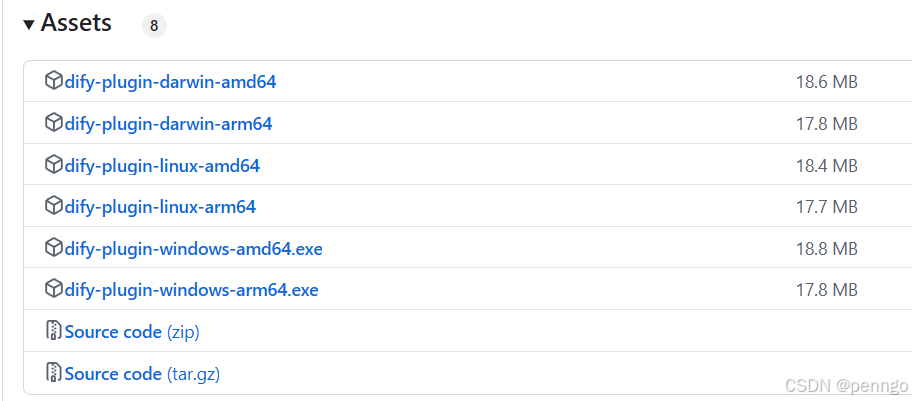
插件cli工具常用命令:
# 显示版本号dify version# 创建一个新的 dify 插件项目dify plugin init# 打包插件,xxx为项目名dify plugin package ./xxx
参考自官方文档:https://docs.dify.ai/zh-hans/plugins/quick-start/develop-plugins/initialize-development-tools
2. 创建插件项目
创建插件项目命令:
dify plugin init
- 输入插件名称、作者、描述等

- 选择开发语言

- 选择插件类型,这里选择tool
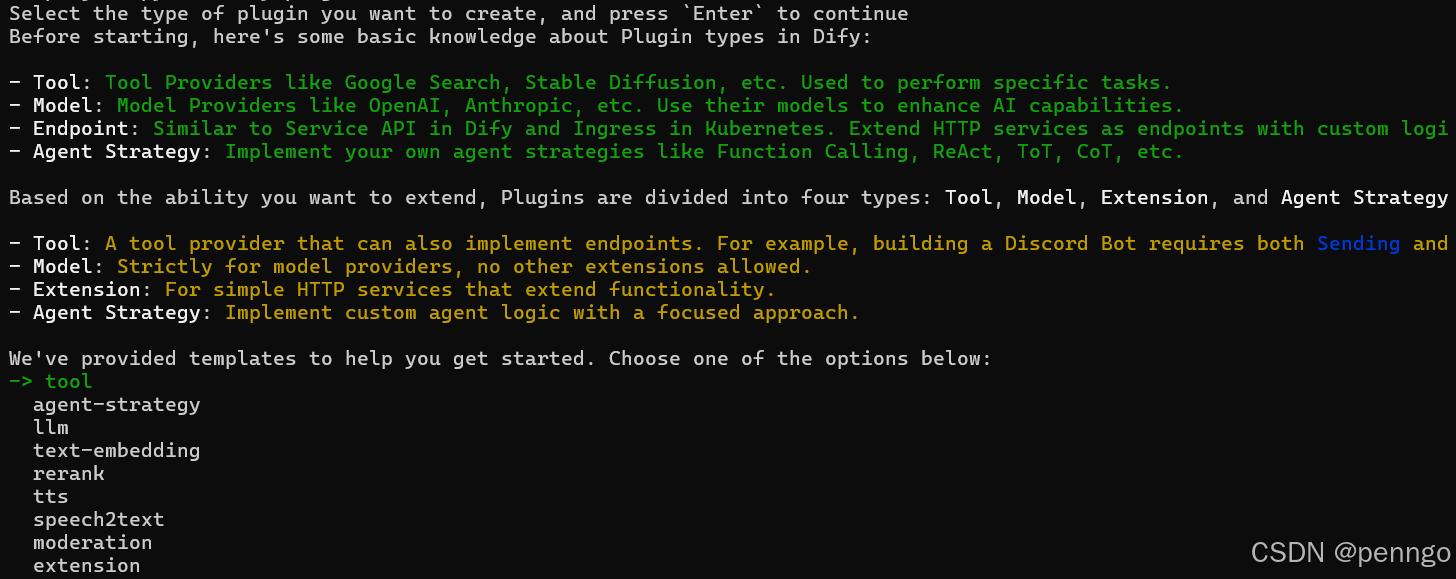
- 配置权限
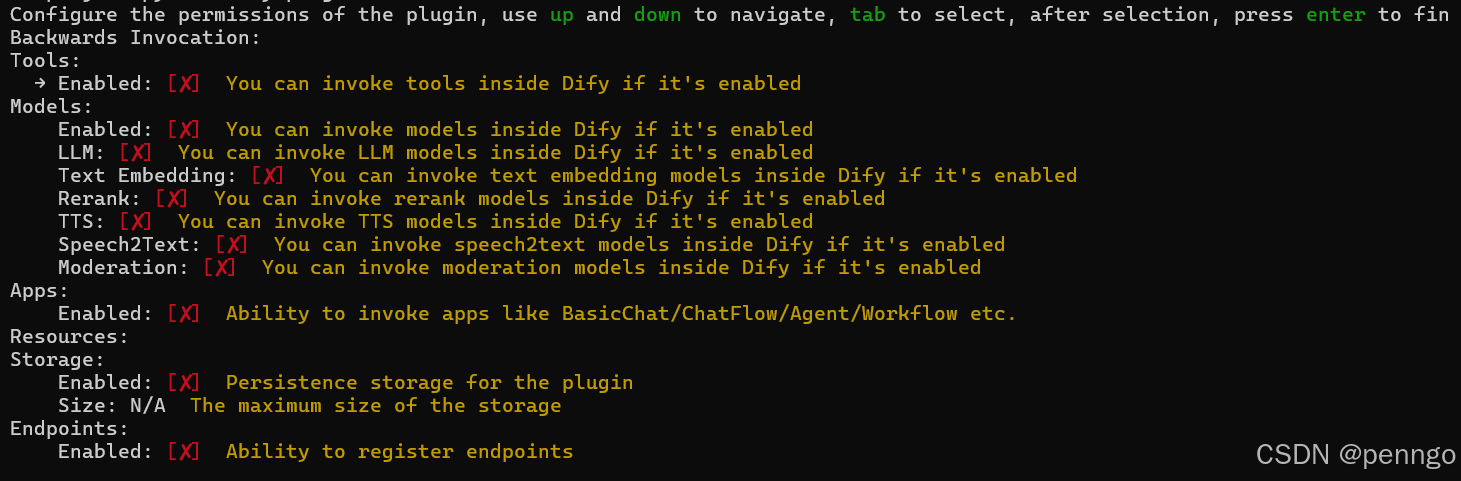
- 设置支持的dify版本

创建完成后,目录结构
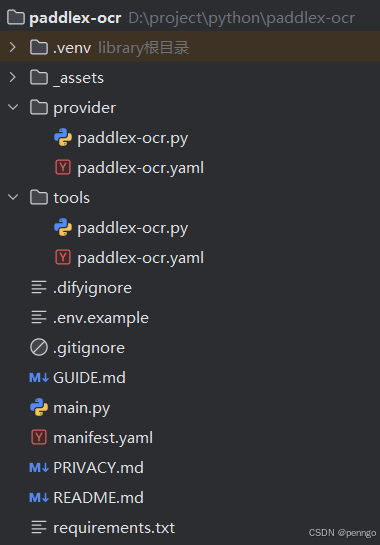
目录说明
# 供应商文件provider- paddlex-ocr.py # 供应商的实现代码,用于实现凭据验证逻辑。- paddlex-ocr.yaml # 包含工具供应商的信息,包括供应商名称、图标、作者等详情,在安装插件时进行展示。# 工具文件tools- paddlex-ocr.py # 编写工具的功能代码,实现工具的业务逻辑- paddlex-ocr.yaml # 工具显示的界面相关.env # 配置远程调试的地址和keymanifest.yaml # 配置插件信息、插件权限requirements.txt # 插件依赖包
3. 编写插件代码
tools/paddlex-ocr.py实现代码
from collections.abc import Generatorfrom typing import Anyfrom dify_plugin import Toolfrom dify_plugin.entities.tool import ToolInvokeMessageimport jsonimport requestsclass PaddlexOcrTool(Tool):def _invoke(self, tool_parameters: dict[str, Any]) -> Generator[ToolInvokeMessage]:file_url = tool_parameters.get('file_url')file_type = tool_parameters.get("file_type")ocr_url = tool_parameters.get('ocr_url')ocr_content = self.ocr(file_url,file_type, ocr_url)yield self.create_text_message(json.dumps(ocr_content, ensure_ascii=False))def ocr(self,file_url,file_type, ocr_url):payload = {"file": file_url, "fileType": 1}if file_type == "application/pdf":payload = {"file": file_url, "fileType": 0}response = requests.post(ocr_url, json=payload)ocr_contents = []if response.status_code == 200:result = response.json()["result"]for i, res in enumerate(result["ocrResults"]):ocr_content = '\n'.join(res["prunedResult"]["rec_texts"])ocr_contents.append(ocr_content)else:ocr_content = f"{response.status_code},解析失败!"ocr_contents.append(ocr_content)return ocr_contents
tools/paddlex-ocr.yaml实现代码
4、运行
python -m main
效果
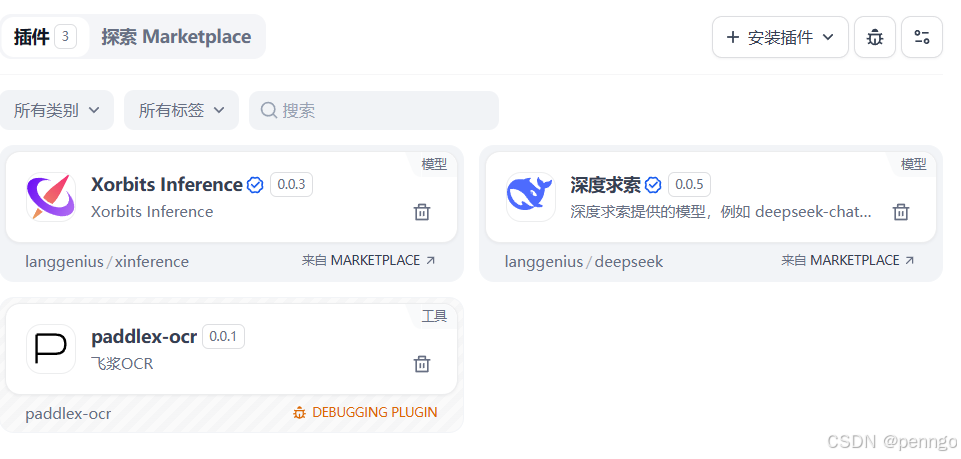
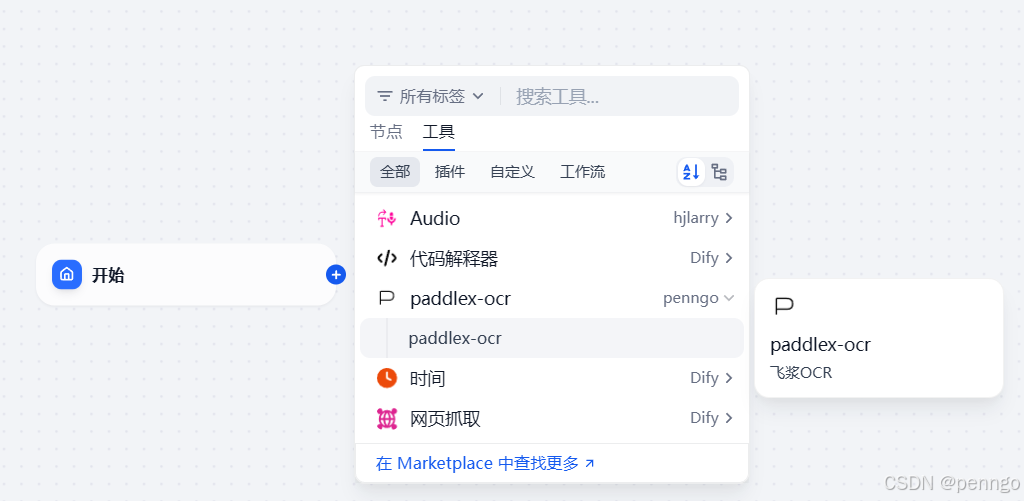
参考官方文档:https://docs.dify.ai/zh-hans/plugins/quick-start/develop-plugins/tool-plugin